Alignex Blog

How to Deactivate a SOLIDWORKS License

Mike Dady on July 19, 2017 at 12:55 PM

3 comments

Over time computer hardware gets old, and as a result it needs to be replaced. Although new gear can be exciting, it comes with the hassle of transferring your software. When we change the hardware running SOLIDWORKS, be it a client with a stand-alone license or a server running the SolidNetWork License Manager, it will require us to deactivate the serial number used for the installation.

In this blog post, I'll give you step-by-step directions on how to deactivate your SOLIDWORKS license. 

Read More...

SOLIDWORKS PCB Supplier Link [Video]

Alyssa Batista on July 14, 2017 at 10:15 AM

0 comments

Are you interested in shaving time and money off your development costs? SOLIDWORKS PCB makes component selection simple through real-time Supplier Links. These provide accurate part parameters, data sheets, pricing and stock information to help you make the best selection.

Read More...

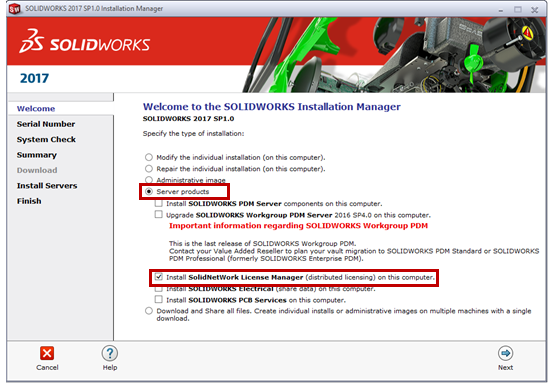
How to Install Your SolidNetwork License Manager

Eric Weber on July 11, 2017 at 8:10 AM

0 comments

This how-to blog post will take you step-by-step through the process of installing your SolidNetwork License Manager (SNL). Installing your SNL is the first step to upgrading your client computers.

Read More...

How to Copy a Drawing for Multiple Projects [Video]

Eric Weber on June 27, 2017 at 8:15 AM

6 comments

Have you ever wanted to test multiple versions of a part or drawing without the fear of ruining the original design? Well it's possible in SOLIDWORKS, and a lot easier than it may seem.

Read More...

Reduce Product Weight with SOLIDWORKS Simulation Optimization

The Alignex Team on June 21, 2017 at 10:33 AM

0 comments

Reducing product weight and improving performance are key goals in most design projects to minimize costs, and differentiate your products. SOLIDWORKS design optimization allows you to quickly size your design to meet performance needs without using excessive amounts of material. 

Read More...

6 Ways SOLIDWORKS Composer Streamlines Your Production Process

The Alignex Team on June 16, 2017 at 8:45 AM

0 comments

You put significant time and money into developing your products and want to be sure that they are assembled correctly and quickly on the shop floor. So how do you make sure that your customer's first experience is a good one?

Here are some of the top ways SOLIDWORKS Composer can streamline technical communications at your company:

Read More...

Obtaining Your Complimentary Serial Number for Visualize Standard

Mike Dady on June 14, 2017 at 8:20 AM

0 comments

With the release of SOLIDWORKS Visualize in 2016, SOLIDWORKS Professional and Premium subscription customers received a complimentary copy of Visualize Standard. In the 2017 release of SOLIDWORKS, Visualize has been integrated with the SOLIDWORKS Installation Media. As a result of this integration in the SOLIDWORKS install, a new serial number is needed to install Visualize 2017.

Read More...

A Complete Guide to Using SOLIDWORKS Rx

Matthew Kusz on June 6, 2017 at 8:45 AM

0 comments

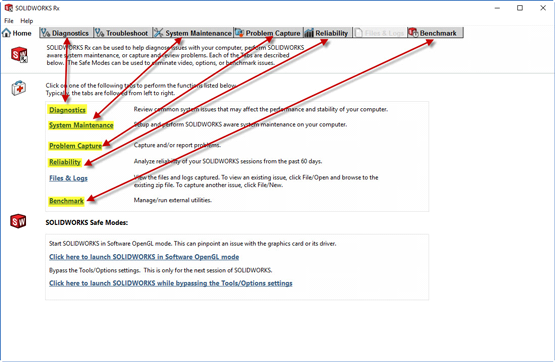
The SOLIDWORKS Rx tool allows you to easily capture video and diagnostic information for troubleshooting problems, checking your system performance, and updating your video card driver. It also allows you to run tests and compare your results with fellow SOLIDWORKS users.

By familiarizing yourself with how to use the SOLIDWORKS Rx tool, you'll have the diagnostic tools to communicate and solve any problems you come across. 

Read More...

Automatic Cost Estimation without Leaving SOLIDWORKS

The Alignex Team on May 30, 2017 at 11:20 AM

0 comments

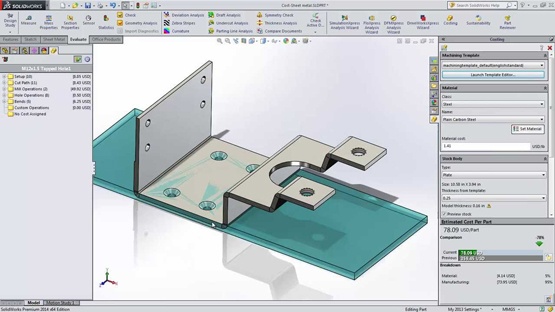
There are several built-in capabilities of SOLIDWORKS that many customers don’t know about. One of the major ones often overlooked is the SOLIDWORKS costing tool.

Read More...

Which SOLIDWORKS Version is Best for You?

The Alignex Team on May 22, 2017 at 3:30 PM

0 comments

Whether you’re thinking about taking the leap into the world of SOLIDWORKS for the first time or you’re a SOLIDWORKS user looking for additional functionality, choosing the best SOLIDWORKS version for you can be confusing. SOLIDWORKS 3D CAD software is available in three packages—Standard, Professional, and Premium—packed with capabilities developed to help you meet your specific business goals.

Read More...

0 comments

Leave a comment