Alignex Blog

How to Accelerate Your Design Process with SOLIDWORKS Treehouse [VIDEO]

Jackie Yip on November 2, 2016 at 1:05 PM

0 comments

SOLIDWORKS Treehouse is a powerful standalone application that allows users to organize and setup an assembly outline in which changes can be implemented with ease. Make your assembly outlines faster and more efficient by using the SOLIDWORKS Treehouse application.


Read More...

Alignex Hosts Model Mania at Minneapolis SOLIDWORKS 2017 Launch Event

The Alignex Team on October 27, 2016 at 7:47 AM

0 comments

Are your modeling abilities a cut above the rest? Every year at SOLIDWORKS World design engineers from around the country test their skills and compete during a live Model Mania Contest. In 2015, Alignex customer Nick Vande Waerdt from Kooima won 1st place at SOLIDWORKS World. 

This year at our Minneapolis SOLIDWORKS 2017 Launch Event, we thought we’d have a little competition of our own!

Read More...

Improved Usability and Flexible Access to SOLIDWORKS Simulation 2017

The Alignex Team on October 18, 2016 at 12:56 PM

0 comments

SOLIDWORKS Simulation speeds up the process to find creative breakthroughs for your products, giving you greater insight to your design and improving productivity. With the newest release of SOLIDWORKS Simulation 2017, users not only have access to new tools with enhanced usability, but also have access to those virtual analysis tools with a quarterly or annual licensing option.

Read More...

A Sneak Peek at SOLIDWORKS 3D Interconnect [Video]

The Alignex Team on October 10, 2016 at 1:53 PM

0 comments

With more core power and performance, and new capabilities for emerging technologies, it’s never been easier to design and create with SOLIDWORKS. Here is just one of our favorite new additions in SOLIDWORKS 2017.

Read More...

The Future of Manufacturing and the Necessity for Continuous Innovation

I'm looking forward to my keynote at next Tuesday's SOLIDWORKS 2017 Launch Event at Target Field in Minneapolis, and think you should be there. Here's why! 

Read More...

Getting Started with SOLIDWORKS Design Tables

Jesse Butwinick on September 20, 2016 at 8:05 AM

3 comments

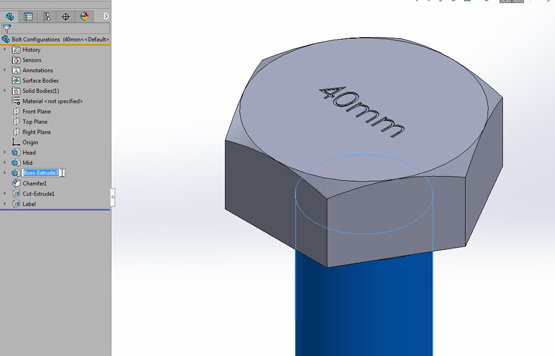
Configurations in SOLIDWORKS parts and assemblies give you the ability to vary dimensions and control the suppression states of various features without needing to create a new document. This allows you to have multiple variations of one project within one file.

Read More...

New Embedded Electronic Design with SOLIDWORKS PCB

Craig Shaw on September 8, 2016 at 8:24 AM

0 comments

Did you know that SOLIDWORKS has a PCB (Printed Circuit Board) program? Indeed they do! SOLIDWORKS PCB is a set of tools engineered to bridge the gap between mechanical and electrical designs. With its simple to use interface and link to SOLIDWORKS, it gives the user an efficient design experience that gets PCB’s done quickly and easily.

Read More...

Customized 3D Printed Phone Cases with DriveWorks Sales Configurator

Guest Author - DriveWorks Team on August 5, 2016 at 2:32 PM

0 comments

Moogue uses DriveWorks as a Sales Configurator to allow anyone to configure custom 3D printed phone cases. They are based in the Netherlands and create their customizable phone cases using a 3D printer.

Read More...

Windows 10 Upgrade Deadline

The Alignex Team on July 25, 2016 at 5:06 PM

0 comments

Have you been thinking about upgrading your Windows operating system but putting it off? Well, you better hurry because time is running out to get it for free. If you’re a Windows 7 SP1 or Windows 8.1 customer, be sure to complete your upgrade before the offer expires on July 29, 2016.

Read More...

Top 5 Training Videos on My.SOLIDWORKS.com [VIDEO]

Travis Quick on July 20, 2016 at 3:32 PM

0 comments

Have you heard about My.SolidWorks.com? If you have, then you already know about the wealth of SOLIDWORKS information that can be found right at your fingertips. If you haven't, what are you waiting for? Joining is free and easy.

Read More...

0 comments

Leave a comment