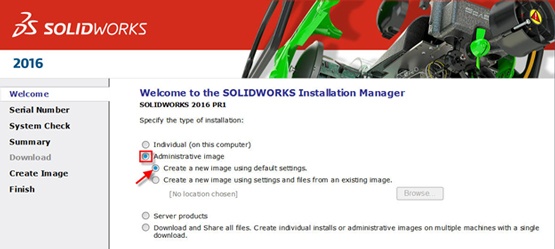
Whenever multiple installations of SOLIDWORKS need to happen, an admin image is a good idea. It can be a huge timesaver. It evens allows you to customize which software is installed, as well as specify certain settings per group or per machine. Read on for step-by-step instructions on creating an admin image before deployment.
Step 1: Launch the Installation Manager by running Setup.exe. Find setup.exe by downloading the latest service pack from the Customer Portal.